
Table of Contents
Introduction
Search engines shape how people find and trust a website. Web design affects that visibility through page speed, mobile layout, clear navigation, and accessible content. When designers plan these elements early, search engines can crawl and understand pages more easily, while visitors can complete tasks without friction. Good structure also supports rich results, such as enhanced listings, when pages use clear headings and descriptive links. Guidance from Google Search Central highlights the value of fast, usable pages that serve real user needs. This section outlines the key design choices that support SEO from the start.

Information architecture and crawlability
Information architecture describes how pages, categories, and content types relate to each other. A clear hierarchy helps search engines crawl a site efficiently and helps visitors find key pages with fewer clicks. Start with a logical structure that groups related topics, then keep navigation labels consistent across templates. When a page sits too deep in the structure, crawlers may reach it less often and users may abandon the journey.
Internal linking strengthens crawl paths and signals which pages matter most. Use descriptive anchor text that reflects the destination topic, rather than generic phrases. Keep URL structures readable and stable, with words separated by hyphens and without unnecessary parameters. Where parameters remain essential, control indexing with canonical tags and consistent linking to the preferred version of each page.
Support crawlability with a complete XML sitemap and a well-scoped robots.txt file. Submit and monitor both in Google Search Console to spot coverage issues, crawl errors, and unexpected exclusions. Also ensure each page uses a single, clear purpose and a unique title, so crawlers can interpret relevance without ambiguity.
Mobile-first layout and responsive behaviour
Mobile-first layout means designing for small screens before scaling up to tablets and desktops. Search engines prioritise mobile versions when they assess relevance and quality, so a site must present the same core content and structured data on mobile as on larger screens. When mobile pages omit key text, links, or metadata, rankings and rich results can suffer. Consistent headings and internal linking also help crawlers interpret page purpose.
Responsive behaviour relies on flexible grids, images, and typography that adapt to different viewports without breaking layout or hiding content. Use responsive images with srcset and sensible sizing so pages load quickly on mobile connections while staying sharp on high-density screens. Touch targets need adequate spacing, since cramped buttons increase mis-taps and raise frustration, which can reduce engagement signals.
Keep navigation simple on mobile, but ensure important links remain reachable without excessive taps. Avoid intrusive interstitials that cover the main content, as they can harm usability and visibility. Validate mobile usability and performance with Google PageSpeed Insights and confirm responsive layouts behave as expected across devices using Chrome DevTools Device Mode.
Core Web Vitals and performance-led design
What Core Web Vitals measure
Core Web Vitals are user experience metrics that Google uses to assess how a page feels in real use. They focus on loading speed, responsiveness, and visual stability. Performance-led design treats these metrics as design constraints, not technical afterthoughts, because layout choices often create the largest delays.
The three primary metrics are:
- Largest Contentful Paint (LCP): how quickly the main content becomes visible.
- Interaction to Next Paint (INP): how responsive the page feels after user actions such as taps and clicks.
- Cumulative Layout Shift (CLS): how much the layout moves unexpectedly during load.
Design decisions that improve LCP
LCP often depends on the “hero” area at the top of a page. Large images, sliders, and video backgrounds can delay the first meaningful view. A performance-led approach prioritises a fast, stable first screen: use a single, well-compressed hero image, keep headline text as real HTML (not baked into images), and avoid heavy effects that require large scripts. When a page needs rich media, place it below the fold so the primary content renders sooner.
Typography also affects LCP. Web fonts can block rendering if a page loads many weights. Limit font families and weights, and ensure the design still works with a system font fallback.
Reducing INP issues caused by interface patterns
INP suffers when pages rely on large JavaScript bundles for basic interactions. Complex animation libraries, chat widgets, and tag managers can compete for the main thread and delay responses. Prefer native browser features for common patterns, such as CSS for simple transitions and semantic HTML for menus and accordions. Keep interactive components consistent across templates so the site does not ship new code for each page type.
Preventing layout shift (CLS) through stable layout
CLS usually comes from late-loading assets that push content down. Reserve space for images, embeds, and adverts by setting explicit dimensions or aspect ratios. Avoid inserting banners above existing content after load, including cookie notices that reflow the page. When a notice is required, use an overlay that does not move the layout and remains easy to dismiss.
Practical checks and tools
Validate changes with field data where possible, since lab tests do not capture every device or network. PageSpeed Insights and Lighthouse highlight the largest bottlenecks and link them to specific elements. Treat performance budgets as part of the design system, covering image sizes, font usage, and component weight, so new pages stay fast as the site grows.
Indexable content, templates, and semantic HTML
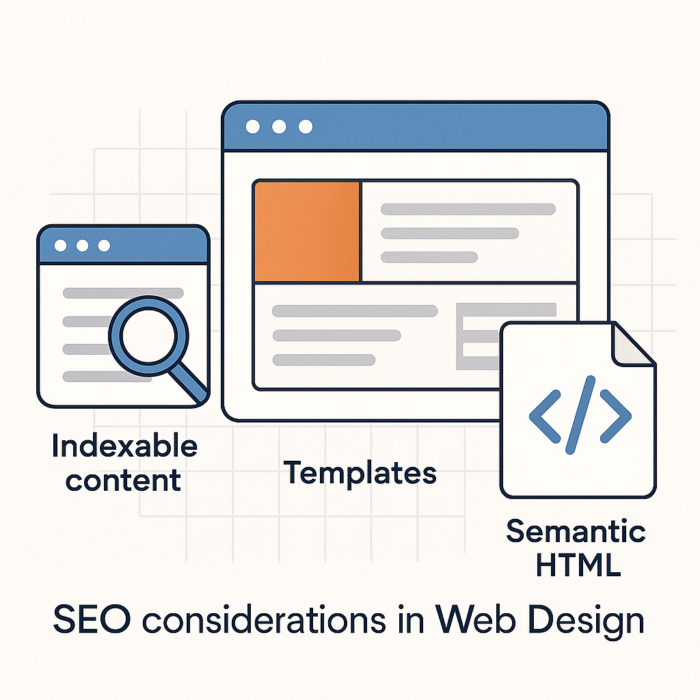
Search engines can only rank what they can fetch, render, and interpret. Indexable content means text and links that a crawler can access without barriers such as blocked resources, gated views, or scripts that fail to render. Place primary copy in the HTML response wherever possible, rather than injecting it after load. When a site relies on client-side rendering, ensure the server still returns meaningful HTML, and confirm that key resources are not blocked in robots.txt. Google Search Central explains how Google processes JavaScript and where rendering limits can appear.
Template decisions that protect indexability
Templates shape how consistently a site publishes crawlable pages. A single weak pattern can repeat across hundreds of URLs, so treat templates as SEO-critical components. Keep each template’s main content area present in the DOM (Document Object Model) at load, and avoid hiding essential text behind tabs that never render without interaction. Use canonical tags carefully on paginated, filtered, or variant pages so that each URL signals its preferred version. When a template generates multiple URLs with near-identical content, consolidate with canonicals or adjust the design to create distinct, useful pages.
- Ensure navigation links use standard
<a href>elements, not click handlers without URLs. - Provide HTML fallbacks for critical content when scripts fail or load slowly.
- Prevent accidental noindex directives on production templates, especially after staging releases.
Semantic HTML that clarifies meaning
Semantic HTML uses elements that describe purpose, not appearance. Clear semantics help search engines understand page structure and help assistive technologies interpret content. Use one logical heading hierarchy per page, with headings that summarise sections rather than styling choices. Mark up key regions with <main>, <nav>, <header>, and <footer> so crawlers and users can distinguish primary content from repeated interface elements.
Choose the right element for the job: use lists for grouped items, tables for true tabular data, and buttons for actions that do not change the URL. When images carry meaning, write concise, descriptive alt text; when images serve decoration, use empty alt attributes. W3C WCAG offers practical guidance that aligns accessibility with search visibility.
When templates output clean, semantic HTML and expose core content at load, search engines can index pages reliably and users can navigate with confidence.
URL structure, internal linking, and navigation patterns
Clean URL structure helps search engines and visitors understand a page before it loads. Use short, readable paths that reflect the content hierarchy, such as /services/technical-seo/ rather than strings of parameters. Keep words in lower case, separate terms with hyphens, and avoid unnecessary folders. When a page changes location, use a permanent redirect (HTTP 301) so link equity and bookmarks continue to work. Consistent canonical URLs also prevent duplicate versions from competing in results, such as mixed trailing slashes or multiple filtered paths.
Internal linking turns a set of pages into a connected system that crawlers can map. Link from high-authority pages, such as the homepage and key category pages, to priority content using descriptive anchor text that matches the destination topic. Navigation links carry weight, yet contextual links within body copy often provide stronger relevance signals because the surrounding text clarifies intent. Keep link targets stable, and avoid “click here” labels that waste meaning. When a page needs visibility, add links from related pages rather than relying on a single menu placement.
Navigation patterns should support both scanning and crawling. A primary menu must stay consistent across templates, while secondary navigation can guide deeper journeys through sections and related topics. Breadcrumbs reinforce hierarchy and reduce pogo-sticking by offering clear routes back to broader categories; Google also supports breadcrumb structured data, which can enhance how paths appear in results (see Google Search Central guidance on breadcrumb markup). Avoid hiding essential links behind interactions that require complex scripts, since crawlers may not trigger those states reliably. A clear, predictable navigation system also reduces orphan pages, which often struggle to rank because few internal links point to them.
On-page metadata, headings hierarchy, and structured data
On-page metadata helps search engines interpret a page and helps people decide whether to click. Write a unique title tag for each URL, keep it descriptive, and place the primary topic near the start. Pair that with a clear meta description that reflects the on-page content and sets accurate expectations. While descriptions do not act as a direct ranking signal, they often influence click-through rate. Use a single canonical URL when similar pages exist, so search engines consolidate signals rather than splitting them across duplicates.
A consistent headings hierarchy gives both crawlers and readers a reliable outline. Use one H1 per page for the main topic, then structure sections with H2 and H3 in a logical order. Avoid choosing headings for visual styling alone; use CSS for presentation and reserve headings for meaning. Keep headings specific and aligned with the content that follows, since vague labels reduce clarity for accessibility tools and search engines.
Structured data (machine-readable labels added to the HTML) can help search engines generate rich results, such as review stars, FAQs, or product details. Use Schema.org vocabulary and prefer JSON-LD, which keeps markup separate from visible layout. Mark up only content that users can see on the page, and ensure values match the rendered text. Validate implementation with Google Rich Results Test, then monitor enhancements and errors in Google Search Console.
- Keep metadata consistent across templates, but avoid duplicate titles and descriptions.
- Use headings to reflect page structure, not to insert extra keywords.
- Apply structured data selectively to eligible pages, and maintain it as content changes.
Accessibility and inclusive design as SEO signals
Accessible, inclusive design improves how people use a site, and it also strengthens signals that search engines associate with quality. When pages work well for users with disabilities, the same clarity often helps crawlers interpret content and structure. Accessibility also reduces friction, which can support engagement metrics such as time on page and repeat visits.
Start with semantic HTML elements so assistive technologies and search engines can understand roles and relationships. Use headings in a logical order, pair form inputs with explicit labels, and provide descriptive link text that explains the destination. Avoid links such as “click here”, since vague anchors reduce meaning for screen readers and weaken context for search engines.
Images need accurate alternative text that describes the purpose of the image in context. Decorative images should use empty alt attributes so screen readers can skip them. When an image contains essential text, place the text in HTML instead, or provide an equivalent nearby. Video and audio content should include captions and transcripts, which also add indexable text that can match long-tail queries.
Design choices also affect accessibility and SEO through usability. Maintain sufficient colour contrast, ensure focus states remain visible, and support full keyboard navigation across menus, filters, and modals. Prevent unexpected layout shifts that can disorient keyboard and screen reader users, and that can also harm perceived stability. Use clear error messages and guidance in forms, since confusing validation increases abandonment.
For practical standards, follow the W3C Web Content Accessibility Guidelines (WCAG). Treat accessibility as a core design requirement rather than a retrofit, and test with real assistive tools such as NVDA and Apple VoiceOver. Consistent, inclusive experiences tend to produce clearer content, stronger structure, and fewer barriers to discovery.

Technical safeguards: canonicalisation, redirects, and JavaScript rendering
Canonicalisation: consolidate signals and avoid duplication
Canonicalisation tells search engines which URL represents the preferred version of a page when multiple addresses show the same, or near-identical, content. Without a clear preference, crawlers may split ranking signals across variants, which can weaken visibility and waste crawl budget.
Use a self-referencing canonical tag on indexable pages and point duplicates to the primary URL. Keep canonical targets consistent with internal links, XML sitemaps, and navigation so that signals align. Canonical tags should reference a 200-status page, use absolute URLs, and match the intended protocol and host (for example, HTTPS and the chosen www or non-www version).
Common duplication sources include tracking parameters, faceted navigation, printable views, and both trailing-slash and non-trailing-slash variants. When the content differs meaningfully, avoid canonicals that “force” consolidation, since search engines may ignore them. For guidance on canonical tags and duplicate handling, refer to Google Search Central.
Redirects: preserve equity and prevent crawl traps
Redirects move users and crawlers from one URL to another. Use them to support site migrations, URL clean-ups, and content consolidation, while preserving link equity and avoiding broken journeys.
- 301 (permanent): use for permanent moves, such as changed URL structure or HTTP to HTTPS.
- 302 (temporary): use for short-term changes, such as limited-time testing, when the original URL should remain indexed.
Keep redirect chains short. A single hop works best; multiple hops slow crawling and can reduce signal transfer. Remove loops and “soft 404” patterns, where a missing page redirects to an irrelevant destination such as the homepage. When content no longer exists and no close replacement applies, return a 404 or 410 so search engines can drop the URL cleanly.
During redesigns, map old URLs to the closest equivalent new pages. Maintain consistent internal linking to the final destination, rather than linking to URLs that then redirect. That approach improves crawl efficiency and reduces latency for users.
JavaScript rendering: ensure content and links remain discoverable
Modern sites often rely on JavaScript to render content, navigation, and product listings. Search engines can process JavaScript, yet rendering can delay discovery and indexing, especially when scripts load large bundles or depend on blocked resources. Treat JavaScript as an enhancement, not the only delivery mechanism for critical content.
Prioritise server-side rendering (SSR) or static rendering for key pages so the initial HTML response contains primary copy, headings, internal links, and structured data. When client-side rendering remains necessary, confirm that the rendered DOM matches what users see and that links use standard <a href> elements rather than click handlers. Avoid hiding essential content behind interactions that require user events to reveal.
Allow crawling of required assets. If robots.txt blocks JavaScript, CSS, or API endpoints, crawlers may not render layouts correctly, which can affect indexing and rich results. Validate rendering with tools such as Google Search Console, using URL Inspection to compare the rendered output with the intended page.
When canonical tags, redirects, and rendering strategy align, search engines can crawl efficiently, consolidate signals, and index the correct pages with fewer delays.
Conclusion
Effective SEO in web design depends on alignment between content, structure, and technical delivery. When teams treat search visibility as a design requirement, pages load quickly, read clearly, and support predictable crawling. That approach reduces rework because the site meets user needs and search engine expectations from the outset. Clear internal links and accessible navigation also help visitors reach key pages without friction.
Strong results come from consistency. A coherent information structure helps discovery, while responsive layouts protect usability across devices. Clean, semantic markup improves interpretation for both assistive technologies and crawlers, and careful metadata supports accurate presentation in search results. Technical safeguards, such as canonical tags and well-managed redirects, prevent duplication and preserve equity when URLs change. Sensible image handling, including descriptive alt text and efficient formats, supports speed and relevance.
Measurement should guide iteration. Use Google Search Central to validate indexing and rich results, and monitor real-user performance through PageSpeed Insights. When design, development, and content work to shared standards, SEO becomes a stable outcome of good web practice rather than a separate project. Regular reviews keep priorities aligned as content and templates evolve.